How I keep an 8 GB Mac useful for building
What happened when my 8 GB Mac ran out of space: Fedora builds, a service migration, an unused VM and a storage guard that leaves live work alone.

Project work September 2026
My main computer is an Apple Silicon Mac with 8 GB of RAM. I use it for Codex, my websites, notes and the day-to-day work of keeping several projects moving. It was also running out of space often enough that clearing a few caches had become part of the routine. By 21 September it had roughly 1 GiB free.
The useful change was separating three problems I had been treating as one: too much work running locally, services that did not need to live on the laptop, and application data that kept growing. Fedora took the heavy builds. An always-on Linux server took a persistent service. A small storage guard dealt with a narrow set of disposable files.
The Mac ended that cutover with 22.5 GiB free. That was a useful recovery, though still below the 30 GiB breathing-room target I had set. It was not a permanent cure for storage pressure, as the next day's figures showed.
Why RAM pressure can look like a storage problem
Apple's Activity Monitor shows memory pressure and swap used. Swap is space on the startup disk used to move data to and from RAM. That means an overloaded 8 GB machine can lose disk headroom as well as responsiveness. Free disk space and free memory are different measurements, but they affect the same working day.
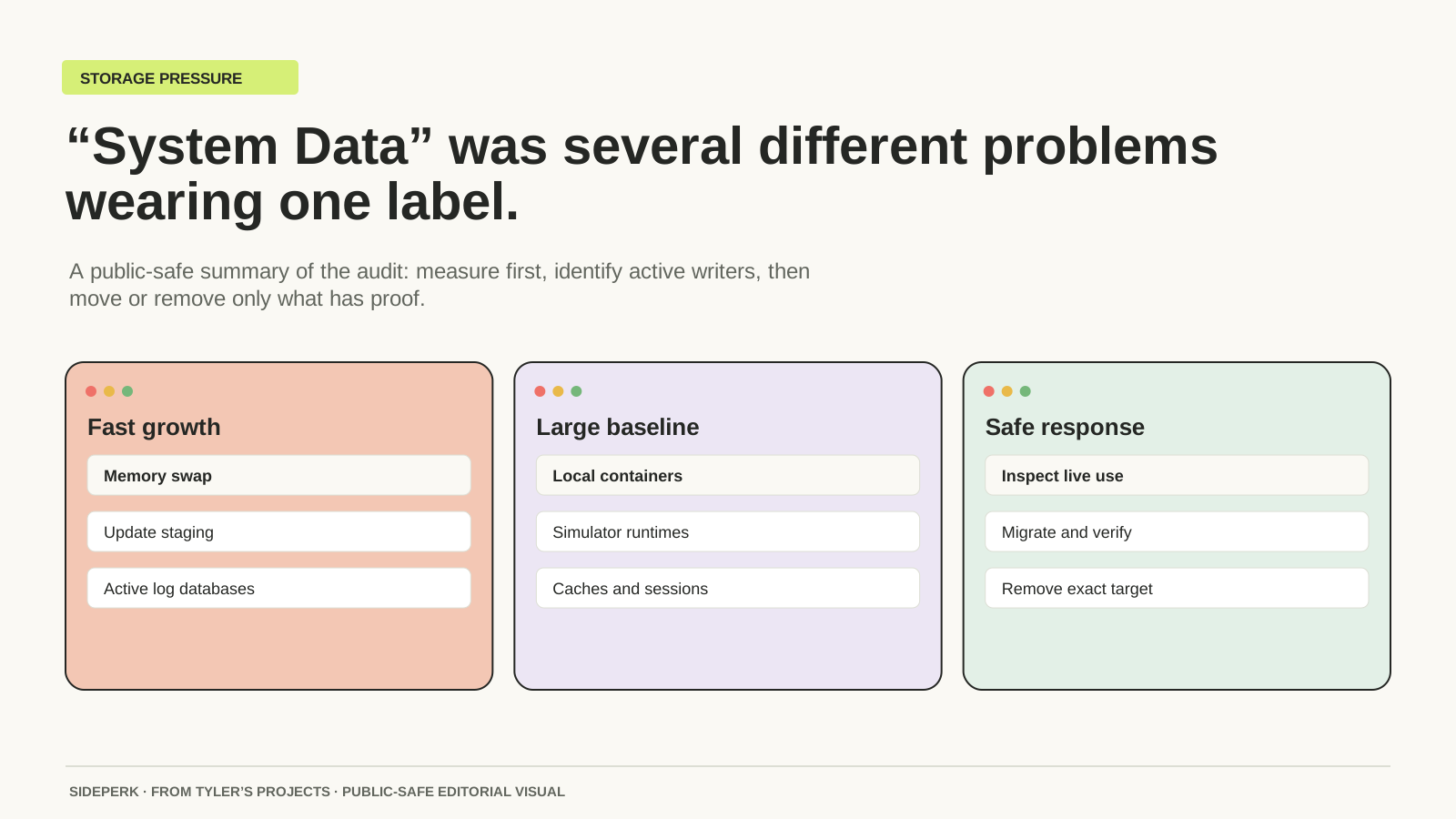
My September audit had roughly 9 GiB of swap in use alongside the container footprint. The swap was left alone. The investigation focused on which workloads and applications owned the space, rather than treating a large System Data category as a folder I could safely empty.
| Signal | Where it comes from | What it tells me |
|---|---|---|
| Memory Pressure and Swap Used | Activity Monitor, Memory tab | Whether the current workload is putting pressure on memory and startup-disk space. |
| Free startup-disk space | df -h / | Available filesystem space at that moment. |
| Swap allocation | sysctl vm.swapusage | The current swap allocation and use, without changing it. |
The first clean-up barely bought me room
The first pass removed allowlisted old caches and closed dependency folders from a finished project. Free space moved from about 1 GiB to around 4 or 5 GiB. That helped, but it was still critical. Some apparently large folders also shared storage blocks, so their displayed sizes overstated what deleting them would recover.
This is the bit I would have liked explained earlier: a big folder is a lead, not a safe deletion decision. A cache might be rebuildable. An active database may contain the only current copy of something. A stopped virtual machine may still contain a service I need. They can look equally tempting when the disk is nearly full.
Two changes made much more difference. I confirmed that one Claude workflow only needed the web version, then closed the desktop app and removed its unused virtual-machine bundle. That recovered 10.06 GiB while preserving the app's other local state. Separately, I moved the Home Information service off the Mac before removing its Colima runtime.
Colima had become a server I was carrying around
Colima provides a container runtime through a local virtual machine. It allows CPU, memory and disk limits, which is useful when a project needs a short-lived local service. But a limit does not give an 8 GB Mac extra RAM, and stopping the VM does not remove the files it uses.
My stopped Colima footprint was about 9.4 GiB. It was not just disposable build rubbish: there were images, stopped containers and a real service behind it. The sensible job was to work out what belonged where, preserve what mattered and make the service work somewhere else.
I still have a useful place for Colima in my toolkit, but I retired that local runtime on 21 September. I am not currently keeping it running as a miniature server rack. Any future local profile would have a named purpose and a limited lifetime.
Colima: what it provides and how it fits my stack
The network gives each machine a job
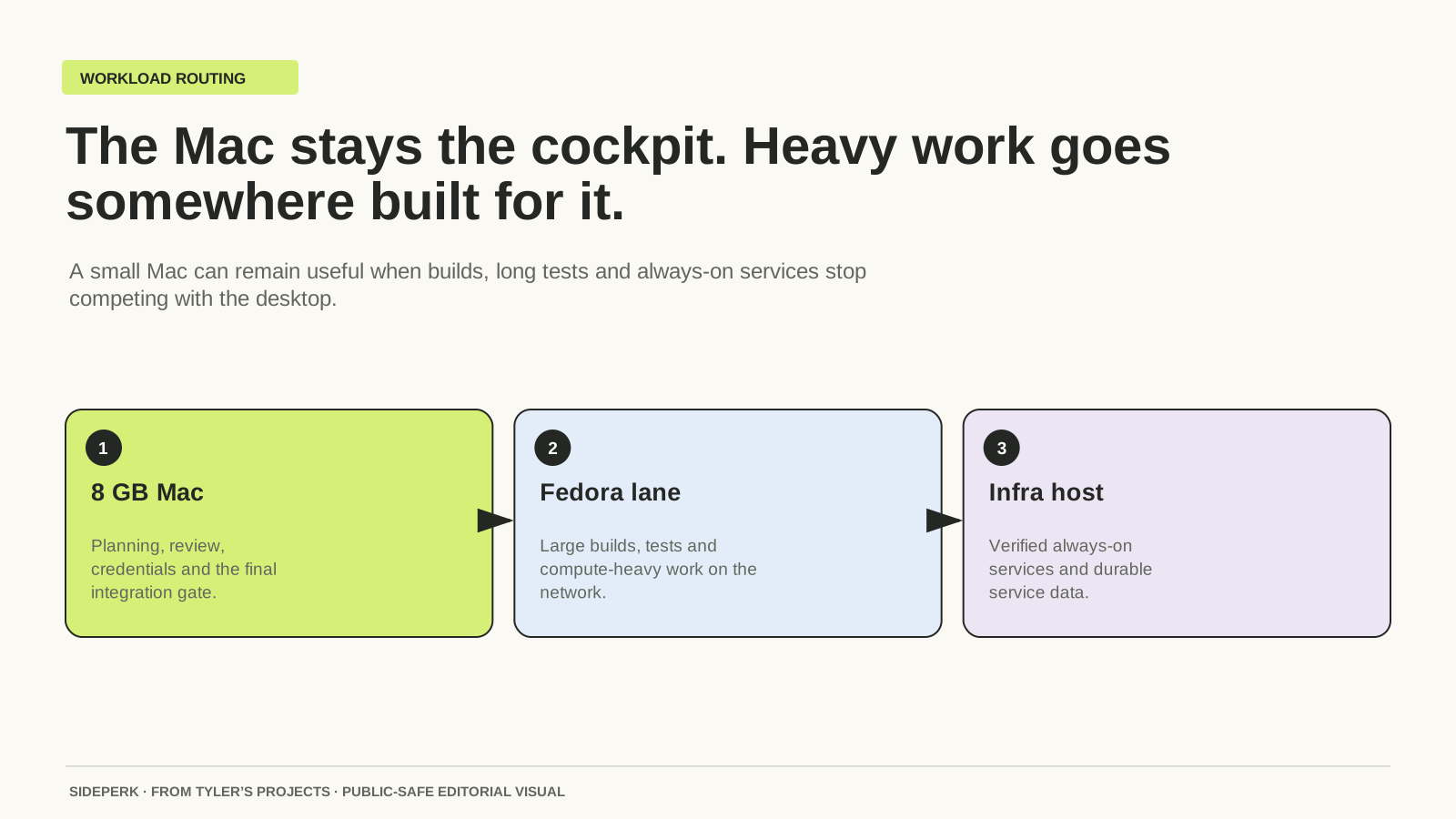
The Mac remains my desk: source edits, notes, Codex conversations, browser checks and decisions. The heavier builds and test suites go to Fedora in its own workspace, using the exact revision under review. I bring back the result and enough evidence to know what ran.
That workspace detail matters. Building on Fedora against a mounted Mac folder would still leave the source files on the Mac, and would couple the job to the laptop's filesystem and connection. A separate remote checkout gives the build its own working space. It also makes it clearer which revision produced the result.
Fedora is optional capacity. Mine is a dual-boot machine, so the Linux and Windows names are two ways of reaching the same hardware, not two workers. Before sending heavy work I establish which system is awake and whether it can run the job. If that route is unavailable, the job waits or takes another verified remote route. It does not quietly land back on the small Mac.
The always-on server has a different role. Home Information needs to keep its data and remain available when the Mac is asleep. Fedora built the Linux image for that move; the server runs it. Fedora being switched off afterwards does not stop the application.
A working remote service was only half the move
I kept the application's familiar local address through a private tunnel, so moving it did not mean relearning where to find it. Before removing Colima, the database and media were compared, the app was restarted and checked, and the saved recovery copies were actually restored. The old container images were preserved too.
Once those checks passed, Colima's footprint dropped from about 9.4 GiB to almost nothing. That was a different kind of clean-up from emptying a cache: a workload had a verified new home, so its old runtime no longer needed to occupy my laptop.
There is a backup limit here that matters. The two copies on the server live on separate physical disks, but they still share a host and location. That protects against some failures, not the loss of the whole site. A second folder is not an independent backup, and moving something off a laptop does not make it protected by itself.
What the storage guard is allowed to remove
The hourly guard has a deliberately short list: selected rebuildable caches and downloaded installers older than 48 hours, with the owning app closed and no open file handles. It does not delete my source, worktrees, dependencies, documents or live databases. The earlier one-off dependency clean-up was a separate decision, not something I handed to the timer.
On my Mac it reports pressure below 30 GiB free and critical pressure below 10 GiB. Those are my operating thresholds, not Apple specifications. It keeps a week's bounded history of free space, swap and the known large databases, which helps show whether yesterday's problem has returned.
If it cannot recover enough space safely, it reports the problem. It does not start deleting more important things to reach the target. Archiving is separate again: a selected closed file stays local until the encrypted remote copies have been read back and verified, and a failed verification leaves the source in place.
A follow-up on 22 September found only about 3.4 GiB free, with roughly 16 GiB of swap in use. So I am not claiming the Mac can no longer fill up. The successful migration had not removed the need to investigate new growth. The guard's job is to report that pressure without deleting live work.
Can an 8 GB Mac still be a useful building machine?
Mine can, with a clear division of work. It is good at being the place where I think, edit and inspect the result. The sustained build does not have to happen on the same machine as the keyboard. Hosted CI or another remote builder can fill that role too; a spare Fedora workstation is simply what I have.
The trade-off is that I now maintain a small network as well as a laptop. There are connections, remote workspaces and backups to look after. That suits the projects I am building. It would be unnecessary machinery for a few documents and a browser.
The most useful lesson has been to give each growing thing an owner. The build belongs on the worker. The persistent service belongs on the server. The current notes and editing work stay with me. Once that was clear, the Mac stopped being the default destination for every new thing I made.
Sources and further reading
Sources checked