My experiments with creating a digital avatar
From photos of my office to a convincing digital version of me: the images, voice clones, local failures and paid video tests that led me to Aurora.
Project work September 2026
Video notes
A longer demo of my digital avatar speaking from the generated office. The short comparison tests are further down the page.
I wanted a digital version of me sitting at my desk, talking through a script in my own voice. Something I could use for project updates or an explainer without setting up the camera every time. I thought the hard part would be making it look like me.
It turned out that getting a recognisable still was only the beginning. A face can look right until it starts moving. After trying generated avatars, voice cloning and several local video workflows, Aurora through ElevenLabs gave me the most natural result. It is also expensive enough to change how often I would use it.
The result I would actually use
Video transcript
Right, this is a proper test from the home studio. If this looks natural, we can finally turn scripts into videos without filming every single time.
This is the point where it started to feel useful. I liked the combination of the lip movement, facial expression and small movements while speaking. The voice is my Tyler Casey clone, labelled Cockney in ElevenLabs. There is still room to improve how much it sounds like my everyday delivery, but this is the combination I preferred.
It began with photos of my actual office
I supplied photos of the room so the backdrop would feel like somewhere I actually work. The desk, monitors, microphone, laptop and white PC gave us a reference for the scene. I wanted good lighting and a natural seated recording setup, with enough room in the frame to see the office.
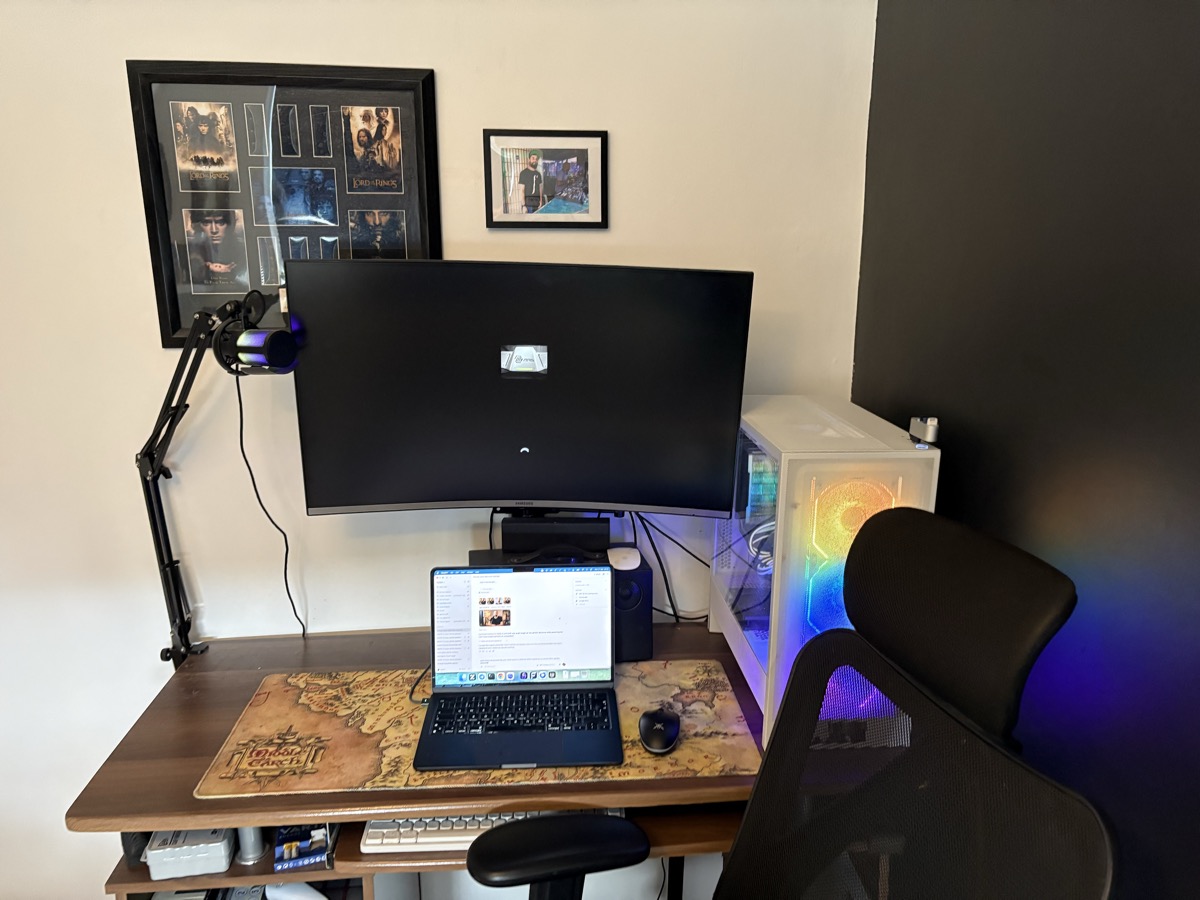
We made two sets of stills: one based on my supplied photos, and another using the reusable Tyler Casey avatar I had created in ElevenLabs. I thought the photo-based versions looked more like me today, but wanted both sets available. The final Aurora and HeyGen comparison below uses the avatar version.
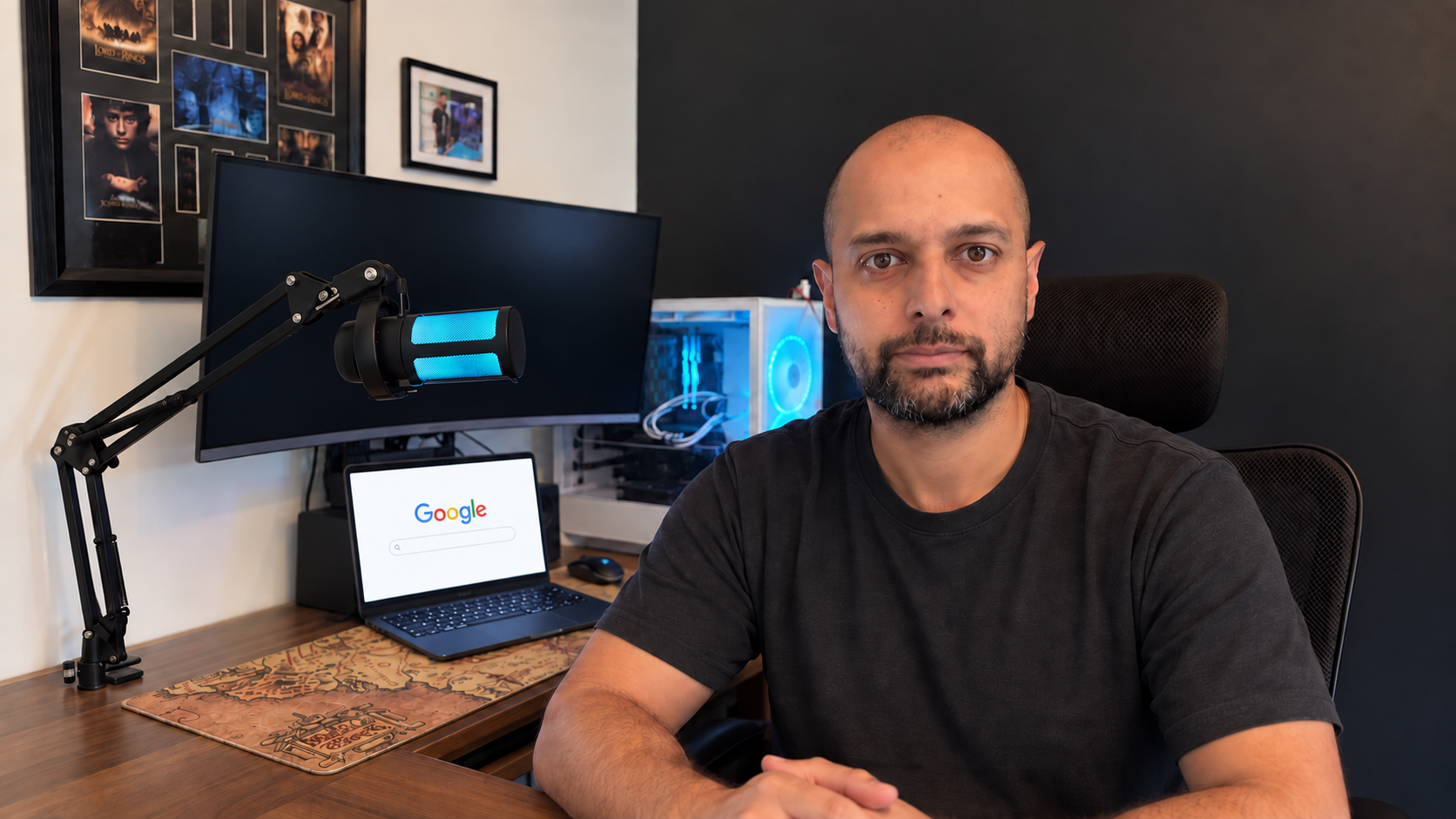
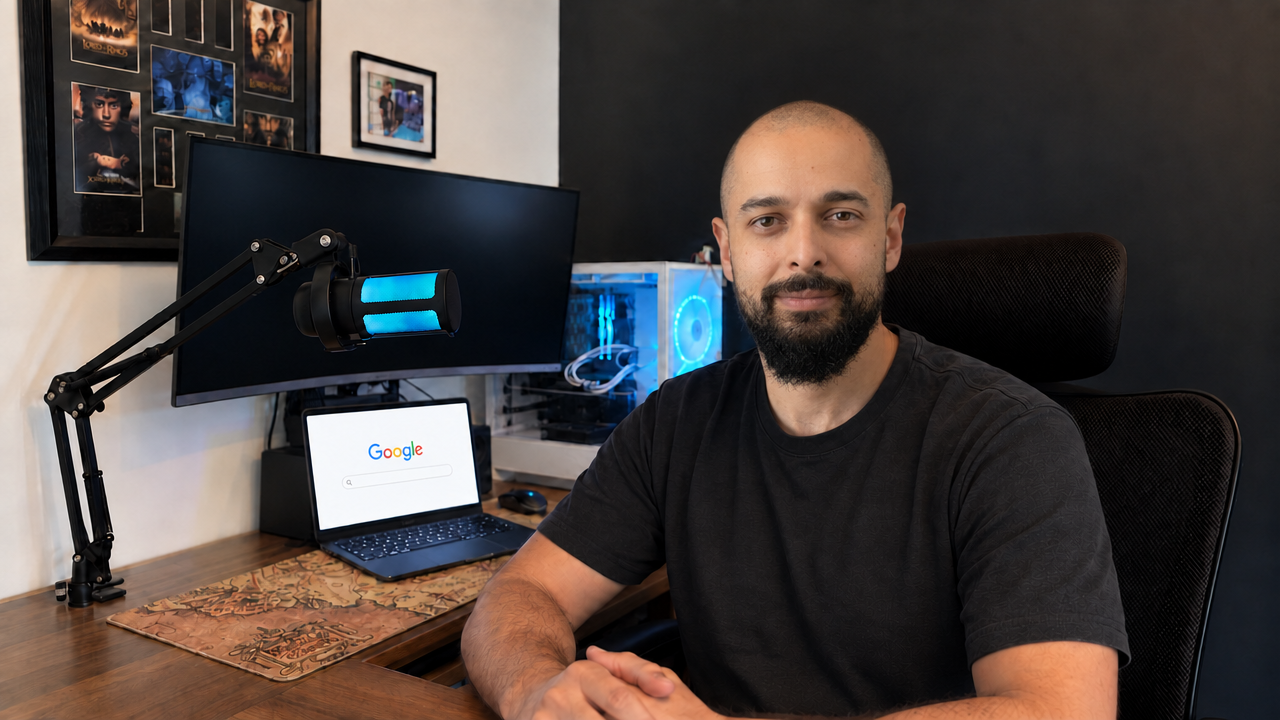
The small mistakes made the room feel wrong
One image had a different microphone. Its position changed between shots. Another turned the desk into an L shape, which is not my desk. One face did not look like me. The laptop screen also had oversized, implausible browser text when I zoomed in.
We corrected the desk shape and microphone placement, hid the dangling cable and asked for google.co.uk on the laptop. I was happy to keep the PC lighting to one colour scheme, even though it changes in real life. The aim was a consistent room across the set.
The first three camera views were too similar, so we added noticeably different angles, including a wider, elevated view. A useful still library needs framing choices as well as a consistent face. I have kept the approved images so a new script does not have to start with another round of image generation.
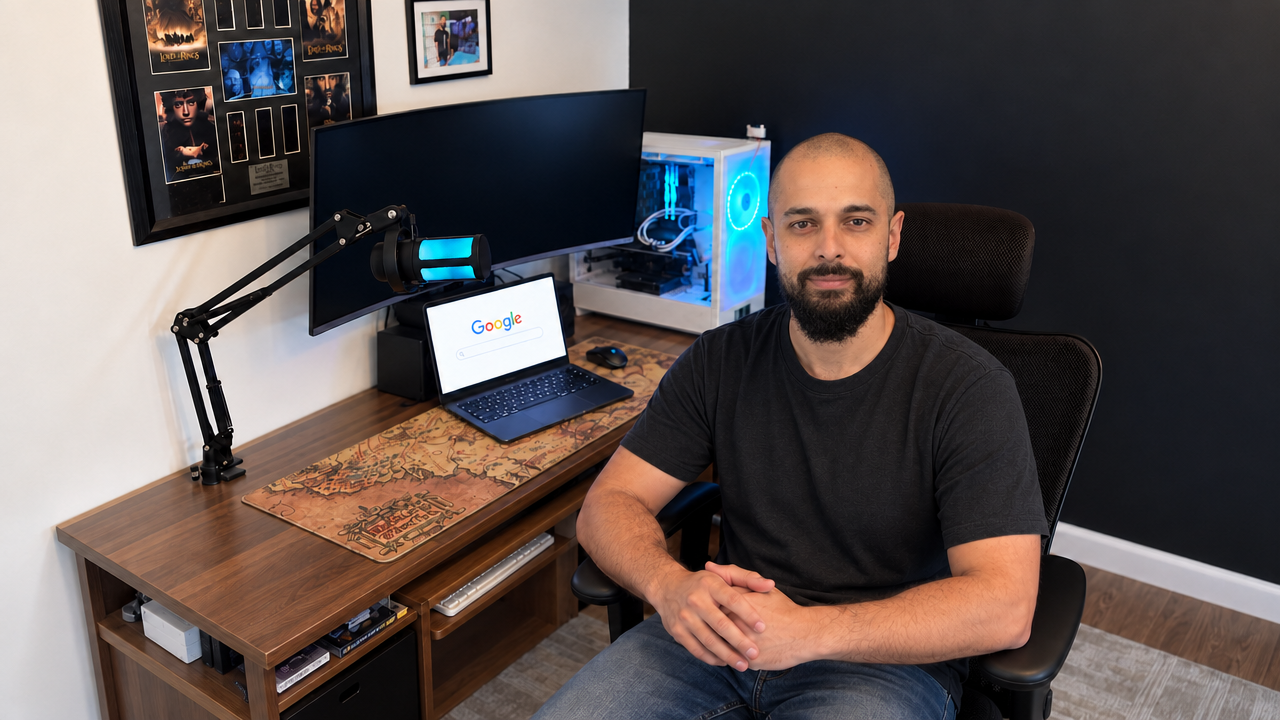
Then I tried to make it work locally
The attraction was obvious: I already have a machine with 48 GB of RAM and a Radeon RX 7900 XT with 20 GB of VRAM. Could I record or generate the voice, then animate these stills with locally run models?
We worked through MuseTalk, LivePortrait with MuseTalk, EchoMimicV3 and a HunyuanVideo-Avatar attempt on Fedora with ROCm. Codex helped with the setup, research, scripts and debugging. This involved compatibility work as well as generating video.
None of the local results were usable for the videos I wanted to make. The problems changed between attempts: a frozen face with a moving mouth, unnatural movement, glitches and artefacts. Changing the settings gave us different problems, rather than a result I could actually use.
Video notes
This earlier clip uses different audio from the final comparison. It's here to show how the local animation looked.
Video notes
This uses an earlier Cockney voice sample, rather than the script in the Aurora and HeyGen clips.
The machine was powerful. The workflow was still painful
One Hunyuan attempt ran for about 96 minutes without producing a video. We stopped it. An external drive also dropped out during another part of the work, and excessive logging caused more trouble. Some of the pain was our setup, not just the models.
Reusing an existing motion clip made the later lip-sync stage faster. It still produced an unusable video. After all the dependencies, compatibility work, settings and recovery, I did not have a local result I could use.
I didn't measure the electricity, but the machine was running for hours while we tried to get this right. The hardware was already paid for. My time wasn't.
Aurora against HeyGen, with the same inputs
For the final comparison, both models received the same Tyler Casey three-quarter office still and the same completed ElevenLabs voice take. The script was intended as a ten-second test; the generated speech actually ran for about 8.7 seconds.
Video transcript
Right, this is a proper test from the home studio. If this looks natural, we can finally turn scripts into videos without filming every single time.
Aurora is the clear winner for me. HeyGen is my backup: it was cheaper and returned a higher-resolution file, but I thought the face and movement looked less realistic. More pixels did not make it more convincing to my eye.
| Test | Output | Video credits | Approx. USD value |
|---|---|---|---|
| Aurora | 8.84s · 1280 × 704 | 7,635.6 | $1.53 |
| HeyGen Avatar 4 | 8.76s · 1920 × 1080 | 5,454 | $1.09 |
| Shared cloned-voice take | About 8.7s of speech | 148 | $0.03 |
The voice used another 148 credits, and we reused that recording for both videos. HeyGen used about 29% fewer video credits. The dollar figures are the provider's reported equivalents, not separate cash invoices. These were paid tests through ElevenLabs, not the free plans linked on Sideperk. Earlier images, voice experiments and failed attempts added to the cost.
The catch with four-to-seven-minute videos
Using the 8.73-second speech recording as the billing basis, four minutes at these test rates would come to roughly 214,000 credits for Aurora with the voice, or 374,000 for seven minutes. HeyGen would be around 154,000 and 269,000. This is a straight-line estimate from one short test, before retakes, not a quote or a full-length result.
That is why I would reserve Aurora for sections where seeing me adds something: an introduction, an explanation or a conclusion. A project video can also show screen recordings, the work itself and still images while the voice carries on. Fewer generated talking seconds would reduce the avatar cost without requiring every minute of the video to be an avatar.
What I am keeping from this experiment
The useful output is a reusable set of office stills, a voice I recognise, a saved image-and-audio workflow and actual comparison clips. I can change a script while keeping the room and the person consistent enough to make a useful test.
My choice today is Aurora with the Tyler Casey cloned voice, when the budget allows. HeyGen is the cheaper backup. None of the local workflows we tried on this machine produced a video I could use.
I wanted to publish the awkward attempts alongside the good one because the polished clip hides most of the work. If this account saves somebody else a day of setup, a few paid experiments or a long render with nothing to show for it, it has done its job.
Sources and further reading
Sources checked